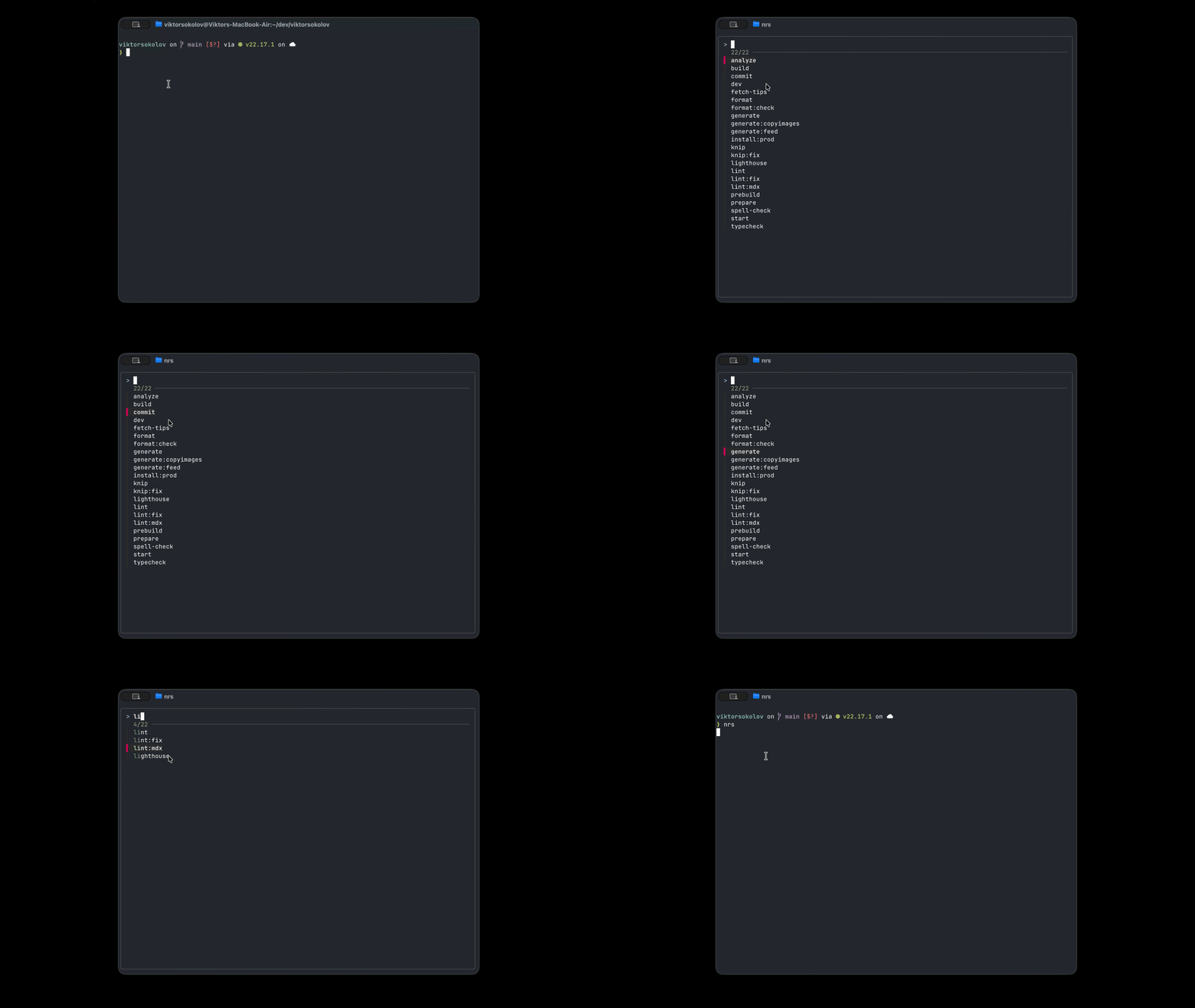
Interactively run npm script with FZF
Tired of long npm script names? Run them interactively with FZF
I was tired of typing out long npm run commands or constantly checking package.json.
These bash functions let you interactively search and run your package manager scripts using the fuzzy-finding power of FZF.
Here's the code to add to your shell config (e.g., .bashrc or .zshrc):
First, we will add a Bash function that determines the package manager the current project is using:
1p() # Determine package manager and run command with it2{3 if [[ -f bun.lock ]]; then4 command bun "$@"5 elif [[ -f pnpm-lock.yaml ]]; then6 command pnpm "$@"7 elif [[ -f yarn.lock ]]; then8 command yarn "$@"9 elif [[ -f package-lock.json ]]; then10 command npm "$@"11 else12 command pnpm "$@"13 fi14}1nrs() {2 local selected_script=$(3 jq -r '4 .scripts5 | keys[]6 ' "$(npm root | sed 's/node_modules//')package.json" \7 | sort \8 | fzf -q "$1"9 )10
11 if [[ -n "$selected_script" ]]; then12 p run "$selected_script"13 fi14}Now, just type nrs to pop up a searchable list of all your scripts. Find what you need instantly and boost your command-line productivity.